> ## Documentation Index
> Fetch the complete documentation index at: https://help.notis.ai/llms.txt
> Use this file to discover all available pages before exploring further.
# MCP
> Extend Notis with your own Model Context Protocol servers.
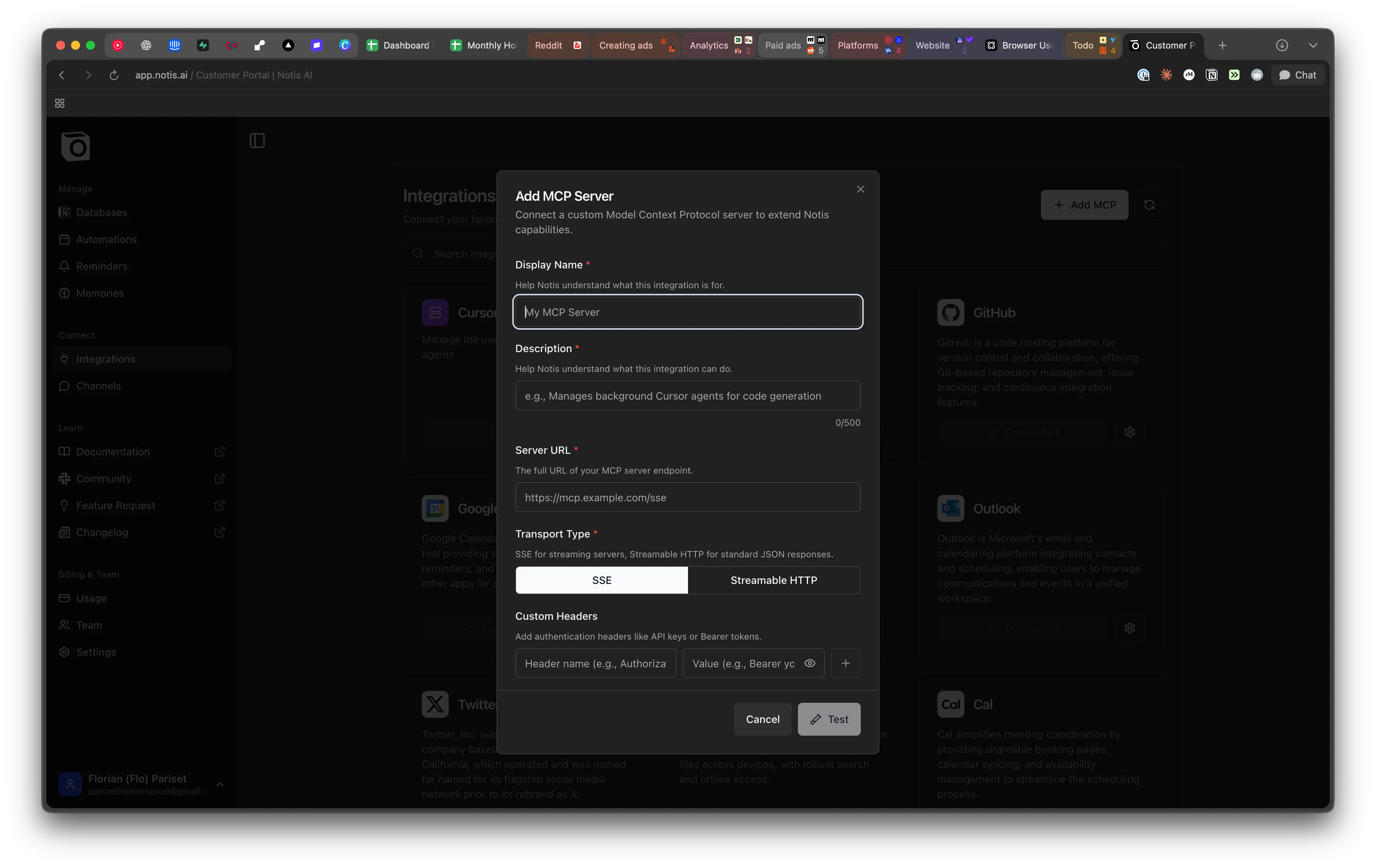
You can create and configure custom MCP (Model Context Protocol) servers to extend Notis capabilities with your own tools and integrations inside the portal.
Custom MCPs are available across the main channels and inside your agents.
 ## When to use a custom MCP
Reach for an MCP server when:
* The tool you need is not part of the [Composio integration catalog](/get-started/integrations/composio).
* You want to expose an internal service, database, or proprietary API to Notis.
* A vendor publishes an official MCP server you'd like to plug straight in.
If the MCP server needs to run on **your own computer** — your files, a local CLI, or a service on `localhost` — use [Local MCP](/your-computer/local-mcp) instead. This page covers MCPs that Notis reaches over the public internet.
## Adding an MCP server
1. Open Notis → Settings → Integrations → **Custom MCP**.
2. Provide the server URL and any required headers or auth tokens.
3. Save — Notis will list the tools the server exposes and make them available to your agents.
Once added, MCP tools behave like any other Notis integration: ask in chat, voice, or from a coding agent and Notis will pick the right tool for the job.
## Related
* [Local MCP](/your-computer/local-mcp) — for MCP servers that run on your own machine.
* [Composio integrations](/get-started/integrations/composio) — the managed catalog.
* [CLI tools](/get-started/integrations/cli) — install command-line tools on your Cloud Computer.
## When to use a custom MCP
Reach for an MCP server when:
* The tool you need is not part of the [Composio integration catalog](/get-started/integrations/composio).
* You want to expose an internal service, database, or proprietary API to Notis.
* A vendor publishes an official MCP server you'd like to plug straight in.
If the MCP server needs to run on **your own computer** — your files, a local CLI, or a service on `localhost` — use [Local MCP](/your-computer/local-mcp) instead. This page covers MCPs that Notis reaches over the public internet.
## Adding an MCP server
1. Open Notis → Settings → Integrations → **Custom MCP**.
2. Provide the server URL and any required headers or auth tokens.
3. Save — Notis will list the tools the server exposes and make them available to your agents.
Once added, MCP tools behave like any other Notis integration: ask in chat, voice, or from a coding agent and Notis will pick the right tool for the job.
## Related
* [Local MCP](/your-computer/local-mcp) — for MCP servers that run on your own machine.
* [Composio integrations](/get-started/integrations/composio) — the managed catalog.
* [CLI tools](/get-started/integrations/cli) — install command-line tools on your Cloud Computer.