

What this setup does
Notis reads and writes your Notion databases. With a dedicated Blog & Newsletter database, Notis can:- Explore your Notion workspace for internal context while researching a post
- Save finished drafts, with their generated images, as pages in the database
- Write new posts automatically when you capture content in Notion
Step 1: Set up your Blog & Newsletter database
The Notis Second Brain already contains a Blog & Newsletter database set up for you.Step 2: Ask Notis to use it
Draft a blog post comparing Notis with Poke, Memorae, and Zapier. Do deep research on the web and explore my Notion workspace.
Please save it in my Blog & Newsletter database.
Check my Notion workspace for relevant data.
Step 3 (optional): Power your website with Framer
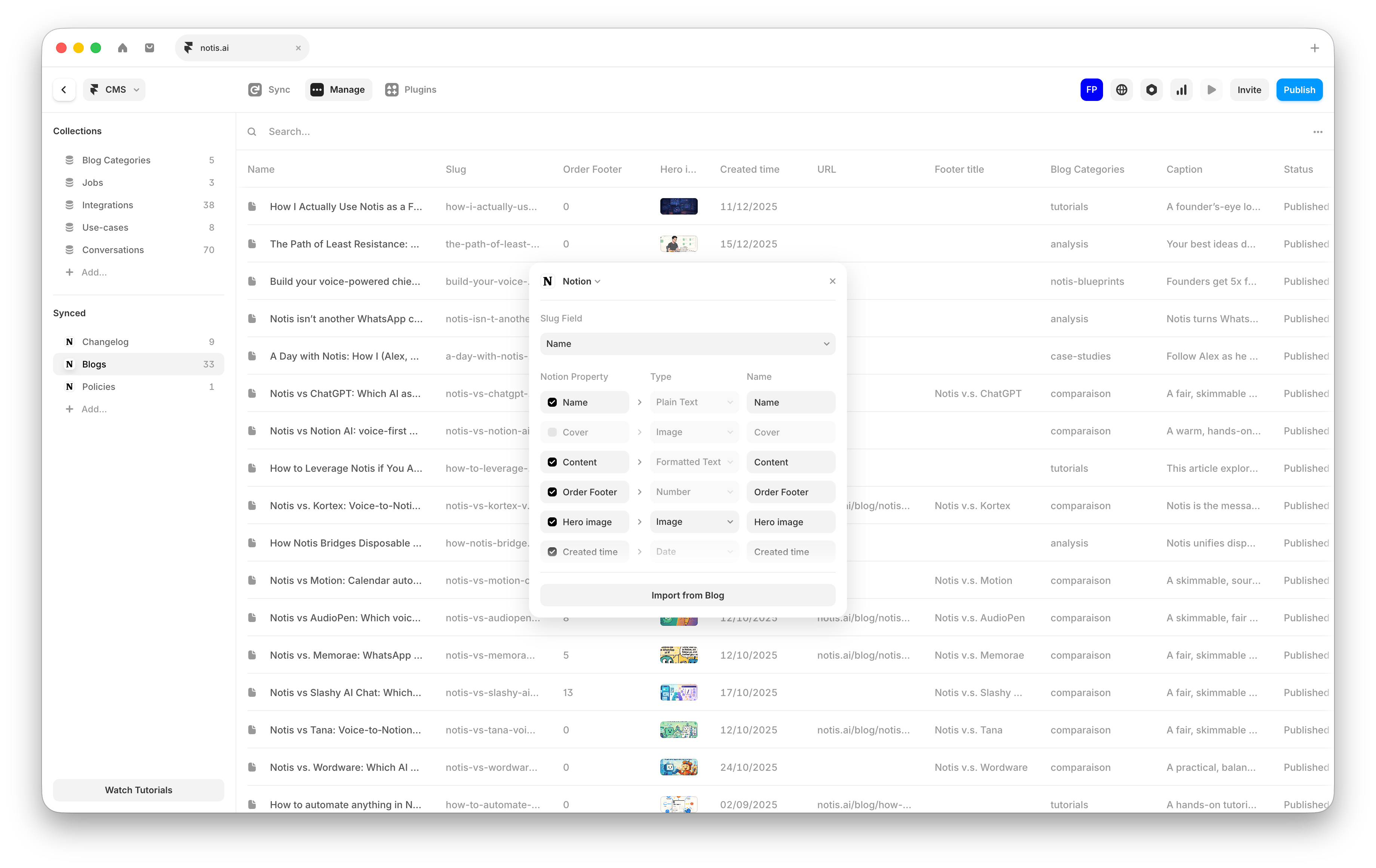
- Create your Framer site (or open an existing one).
- In Framer, add a CMS collection and choose the option to sync it with Notion, then connect it to your Blog & Newsletter database.
- Map your Notion properties to Framer fields (for example: title, meta description, publish date, status, header image, and content).
-
Configure which entries should be published (for example, only pages with
Status = published). - Publish your Framer site.
Automation: write a blog post from a Notion page update
Use this automation to turn any new piece of content (notes, transcript, outline) captured in Notion into a draft blog post in your Blog database.- In the Notis portal, open the Automations tab and create a new automation.
- Choose a trigger that runs on a Notion page update in the database where you capture content extracts.
- Paste and adapt this instruction:
Troubleshooting
- Notis saves the draft somewhere else: Make sure the database has a title property, is named “Blog & Newsletter”, and is connected to Notis.
-
Framer does not show a new post: Check that the page matches the publish filter you configured in Framer (for example
Status = published).