

If you use Notis on the web and a local coding agent (Claude Code, Cursor, or Codex), Skills Sync keeps the same set of skills available everywhere. Author a skill in any of those places, and it shows up in the others on the next sync.Documentation Index
Fetch the complete documentation index at: https://help.notis.ai/llms.txt
Use this file to discover all available pages before exploring further.
Enable Skills Sync
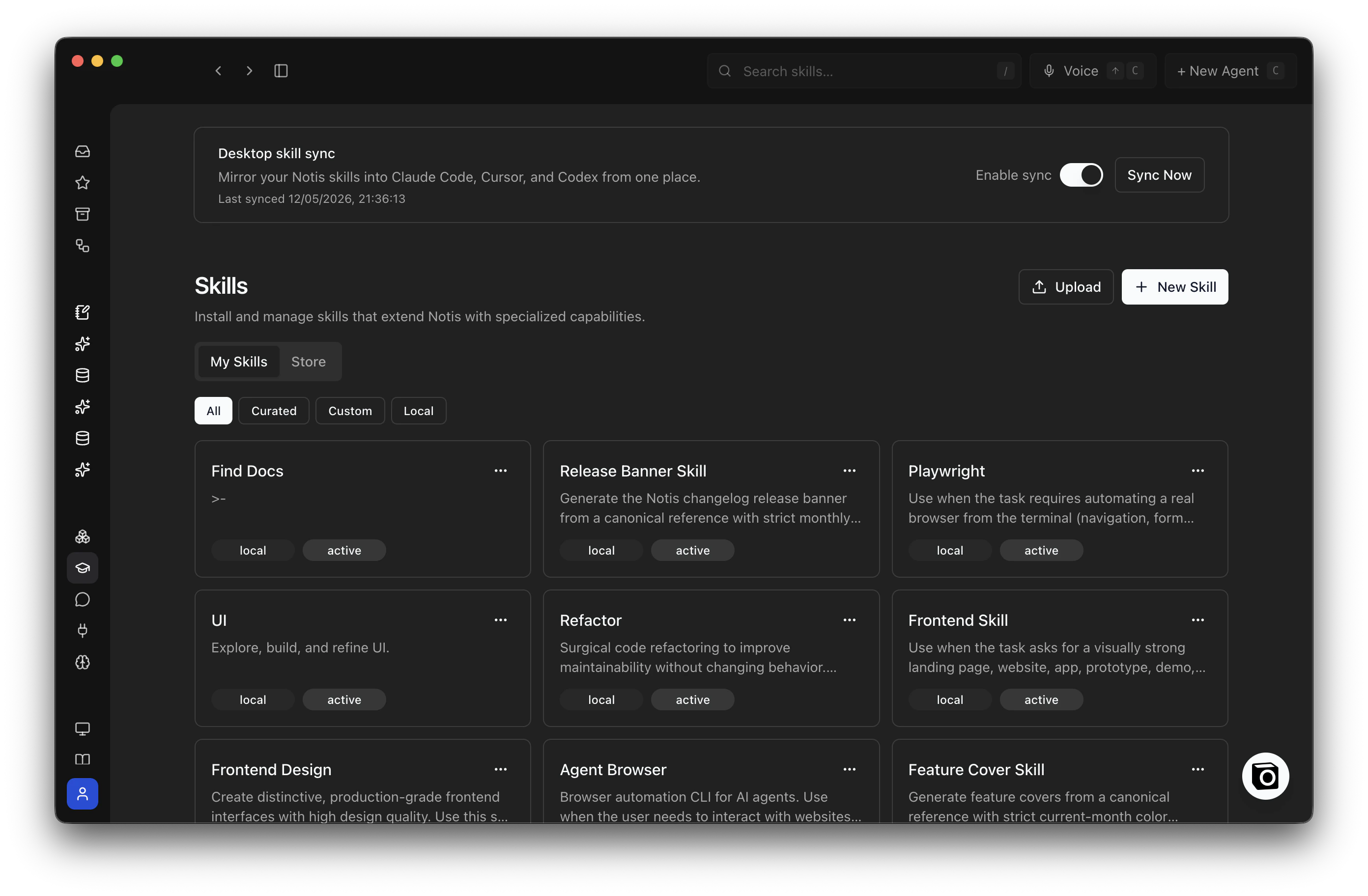
Skills Sync lives at the top of the Skills page in the Notis portal, in the Desktop skill sync card just above your skill list.- Open the Notis portal and go to Skills.
- At the top of the page, find the Desktop skill sync card.
- Flip the Enable sync toggle on.
- Click Sync Now to run the first sync immediately — or just launch the Notis desktop app and let it sync on its own.
What it does
- Cloud to desktop — Skills you install or create in the Notis portal are written into your local agent folders (
~/.claude/skills,~/.cursor/skills,~/.codex/skills) as symlinks. - Desktop to cloud — Skills you write locally for Claude Code, Cursor, or Codex are pushed up to your Notis account and become available wherever you use Notis (web, mobile, voice, channels).
- Per-agent targeting — For each skill, you choose which of the three agents should see it. Useful when a skill is Cursor-specific and you don’t want it cluttering Claude Code.
- Dedup across agents — If the same skill exists in multiple agent folders, Notis collapses them to a single canonical copy and backs up the rest, so you never lose work.
- Curated skills stay shared — Skills you installed from the Notis catalog are linked locally for read access, but local edits don’t overwrite the shared template. Edit them in the portal.
How it works
Skills Sync runs automatically when you launch the Notis desktop app and sign in. There’s nothing to trigger manually. On each run, Notis:- Pulls the latest skills from your Notis account.
- Scans your local agent skill folders and picks up anything new.
- Pushes new or updated local skills to your account.
- Writes any cloud-only skills to your local agent folders.
- Updates symlinks so each agent sees the skills you’ve targeted to it.
Where things live
Notis keeps a per-account mirror of your synced skills under:~/.claude/skills, ~/.cursor/skills, and ~/.codex/skills point back here.
If a same-name skill in one of your agent folders gets demoted during dedup, the loser is preserved at:
Choosing which agents see a skill
Open the Skills page in the Notis portal, pick a skill, and toggle the agent targets:- Claude Code
- Cursor
- Codex
Pause sync
To pause Skills Sync, head back to the Desktop skill sync card at the top of the Skills page in the portal and switch Enable sync off. Existing local skills stay where they are; new changes simply stop flowing in either direction until you turn it back on.Common questions
Will it overwrite skills I edit locally? No. Local edits to non-curated skills are detected by content hash and pushed up to your account on the next sync. Curated catalog skills are read-only locally — edit them in the portal. What happens to a skill I delete in the portal? It’s removed from your local agent folders on the next sync. The underlying files are moved to the per-account scoped mirror as a safety net, not deleted from your disk immediately. Can I delete a skill from Claude Code, Cursor, or Codex directly? No — that won’t stick. Skills Sync treats your Notis account as the source of truth, so the next sync will recreate the symlink from the cloud copy. To remove a skill everywhere, delete it from the Skills page in the Notis portal. If you only want to hide it from one agent, turn off that agent’s target instead. Can two computers share the same skills? Yes. Sign in to the Notis desktop app on each machine with the same account. Each machine maintains its own scoped mirror, and changes propagate through your Notis account. What if a folder already exists where Notis wants to write a symlink? Notis only touches symlinks it owns. If a real folder or a non-Notis symlink is sitting at the target path, that link is skipped and the rest of the sync continues. Move the conflicting folder if you want Notis to manage that slot. Where do I see what synced? The desktop app’s sync log shows recent activity. For deeper inspection, the scoped mirror under~/.agents/notis/users/<your-account-id>/skills is the canonical local state.