

Manage your Settings in the Portal
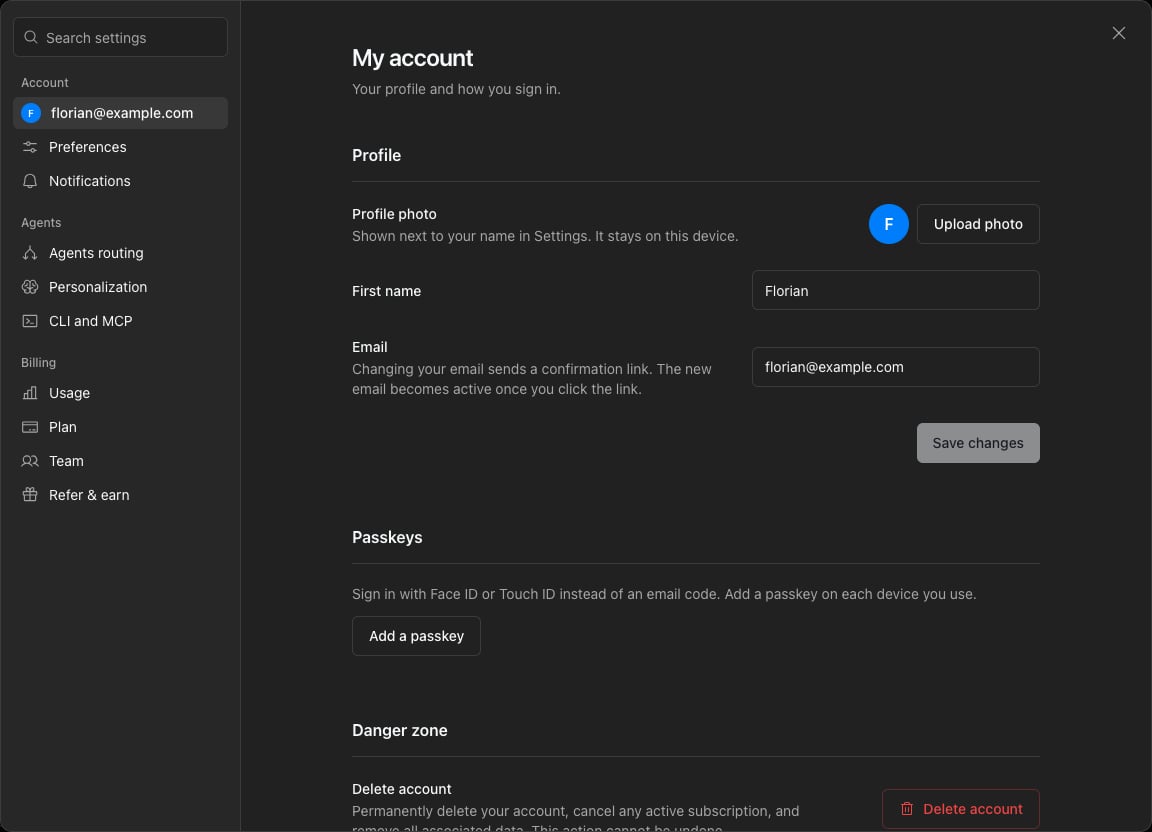
Cmd + , on Mac or Ctrl + , on Windows.
The settings include:
- Email (on My account): this is the email recognized by Notis for sending you and receiving emails. To add email aliases, open Settings → Channels and use the Email card.
- First name (on My account): the name Notis uses when addressing you.
- Custom prompt (on Personalization): global instructions Notis should follow across all tasks. Use this for account-wide preferences; for Notion-specific behavior, prefer the description of the relevant Notion database.
- Join the beta program (on Personalization): opt in to beta features. Beta features can change more often than the stable product.
Your Computer in the Desktop App
Your Computer lets Notis use your local Mac for commands, browser tasks, and app control when a task cannot be completed safely or reliably in the cloud. The Notis desktop app is the only requirement. Its row always appears in Settings → Your computer when you use the desktop app:- While the setting is loading, the row waits without changing your current choice.
- If it cannot be read, use Retry.
- The row shows the activation switch.
- Notis explains what local access allows.
- You choose whether to include Desktop Use.
- You confirm, and the setting turns on.
Several accounts
You can keep up to 5 Notis accounts signed in and switch between them from the account menu. See Switch between accounts.Agents routing
Agents routing has its own page in Settings. Open Settings from the menu at the bottom left, then choose Agents routing. That is where you connect your Codex and Claude accounts, which run on your Cloud Computer, see how much usage each one has left, and set your default Intelligence and Speed. There is no default agent to choose: Notis picks the agent for each task, and a direct request such as “Use Claude for this” wins for that task. Each channel and automation has an Agents selection that sets which agents Notis can use there.- Agent routing overview: how Notis picks the agent.
- Connect your agents: sign Codex and Claude in and read their usage.
- Choose agents for channels and automations: turn agents on or off where you need to.
Manage your Settings with Notis
Notis can also adjust the following settings for you:- Full Name
- Preferred Language: this is the language set during your onboarding. You can also set your language per database by adding an instruction in the database description.
- Timezone: the timezone is used to run your automations and reminders at the correct time. It is normally inferred from your phone country code, but you can ask Notis to set a specific timezone.
- Dictionary: Notis can manage a dictionary of words the speech engine does not recognize correctly. Simply ask Notis something like: “Can you remember that Notice is spelled Notis?”