

This page is for adding another MCP server to Notis. To add Notis to ChatGPT, Claude, Grok, Notion, or a coding agent, follow Connect an agent.
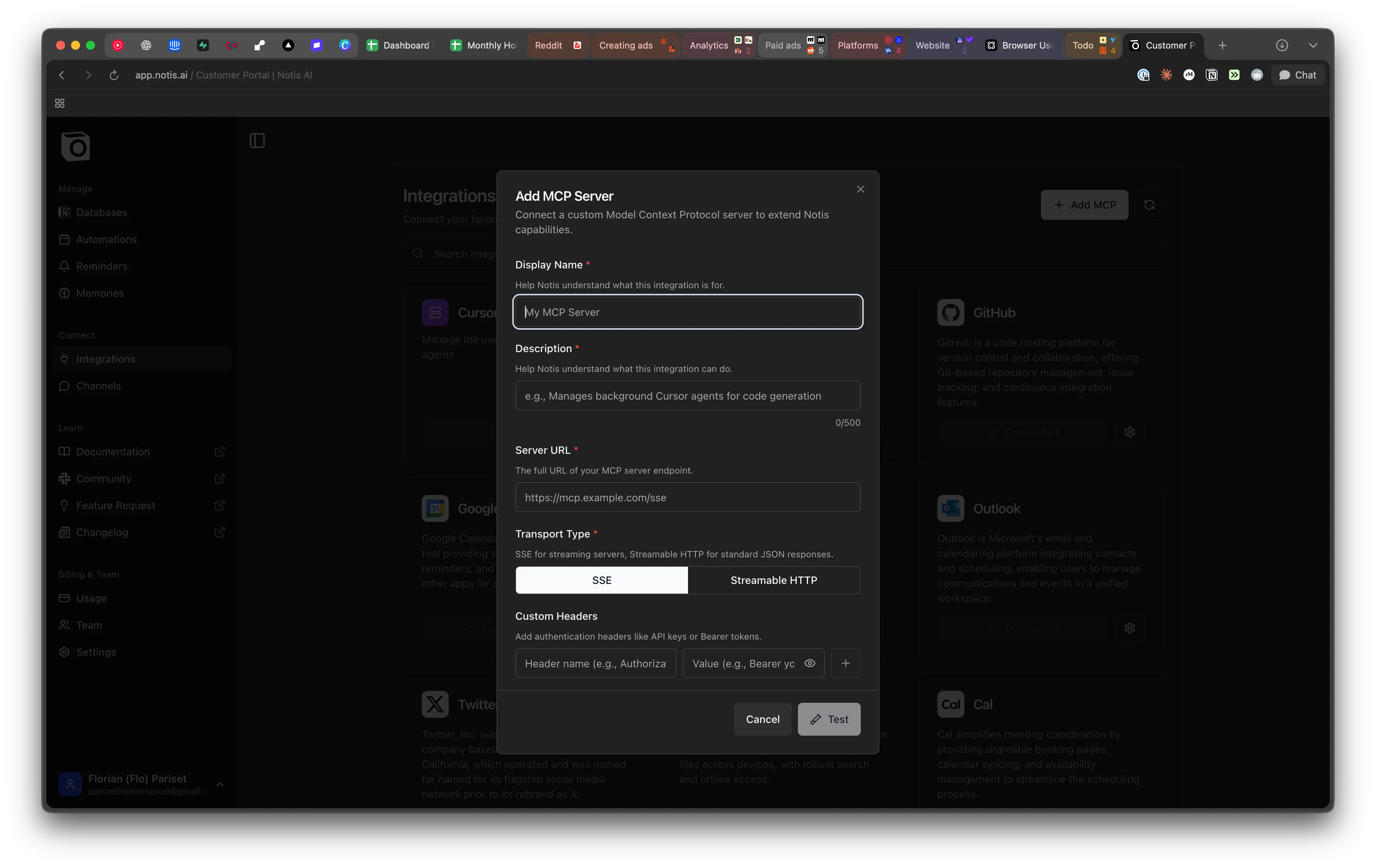
When to use a custom MCP
Reach for an MCP server when:- The tool you need is not part of the Composio integration catalog.
- You want to expose an internal service, database, or proprietary API to Notis.
- A vendor publishes an official MCP server you’d like to plug straight in.
If the MCP server needs to run on your own computer — your files, a local CLI, or a service on
localhost — use Local MCP instead. This page covers MCPs that Notis reaches over the public internet.Adding an MCP server
- Open Notis → Settings → Integrations → Custom MCP.
- Provide the server URL and any required headers or auth tokens.
- Save — Notis will list the tools the server exposes and make them available to your agents.
Related
- Local MCP — for MCP servers that run on your own machine.
- Composio integrations — the managed catalog.
- CLI tools — install command-line tools on your Cloud Computer.
- Connect an agent — add Notis to ChatGPT, Claude, Grok, Notion, or a coding agent.